
Note: Main Power Switch is located underneath / left side
Auto Backflushing / Cleaning cycle
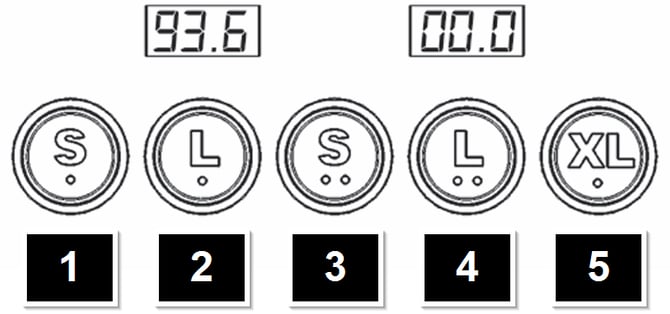
Press and hold 5 then press 1 on the group to be cleaned - press 5 again to cancel
Enter Programming
( Programming Video Link )
1) press and hold 5 then press 3 on group one - this turns the lights off
2) then press and hold 5 for ten seconds - you are now in programming
**1 and 2 = scroll backwards and forwards / increase and decrease values / 5 = enter and save.**
Volumetric Programming
Press and hold 5 on group one until it flashes (~five seconds) - other buttons will stay lit. You are in programming mode.
- Insert prepped portafilter and press the key you want to program. When desired yield is achieved, press the same key to stop brewing. Programming is complete.
- Repeat as desired for the other keys.
- Volumes programmed on group one automatically copy to other groups to the right, but you can reprogram the others individually if desired.
- Press and hold 5 till its light goes out, then press 5 twice to exit programming (after thirty seconds of no activity the machine will exit programming automatically)
Pump Adjustment
( Video link ) Remove grommet on left side panel - use a flathead screwdriver to adjust dispensing pressure while brewing an espresso

Deactivate Group
Press and hold 5 then press 2 - Same sequence to turn group back on
Factory Reset
turn the machine off, press and hold 1 + 3 + 5 *, turn the machine back on and continue holding until ‘Prt’ appears on display. Release keys, then power cycle one more time.
*(press and hold 1 , 2 and 3 on Baby T - otherwise, same process)